Frequently Asked Questions
Choose below a help topic or search our frequently asked questions and answers.
Companion watch
- Ready to use out of the box: Companion will personalise your watch before being dispatched.
- Easy to see the time: Clear analog face with synchronised time.
- Showerproof: IP67 rated so you can wear the watch in the shower.
- Hard of hearing: Haptic feedback and a loud built in speaker and microphone.
- Discrete digital display: Shows clear information only when required.
- Built in mobile network sim: roaming sim with dedicated telephone number.
Watch strap
- Adjustable: fit wrists between 95 and 195mm in circumference.
- Soft leather: Antibacterial with stainless steal buckle.
- Standard 22 mm lug width: for strap replacement or upgrades.
Watch charging dock
- Fast charge: Watch simply slots into the dock for 100% charge in 2 hours.
- Power cable and UK power plug: included.
- Home zone beacon: The charging dock lets the watch know its within a home zone area.
Documents
- Getting started user guide
Companion service includes:
- Watch voice and data: network communication via the built in mobile sim.
- Companion app and web portal: up to 8 support network contacts have access to these service features including emergency GPS tracking.
- Alerts and alarms: delivered to up to 8 support contacts via the mobile app, telephone calls and/or emails.
- Watch and wearer well being analytics: available on the mobile app or web portal.
- Service configuration features: including watch and contact management.
- Access to Companion technology help and support.
Companion Watch setup and usability features:
- Easy to see the time: Clear analog face with synchronised time.
- Showerproof: IP67 rated so you can wear the watch in the shower.
- Hard of hearing: Haptic feedback and a loud built in speaker and microphone.
- Discrete digital display: Shows clear information only when required.
- Extended battery: Average 7 days between recharges.
- Works anywhere: In the house or out and about using a built in mobile network sim card.
- No phone, hub or WiFi needed: The watch does not need additional technology to work.
Safety features:
- Emergancy telephone calls: Make and receive support network calls from your wrist.
- Support network connected: Securely sharing details with those who look after you.
- Emergency SOS button: If pressed, alerts and a voice call are automatically triggered to the support network.
- Falls detection: If you have a hard fall, alerts can be raised with your support network.
- GEO fence monitoring: We alert your support network if you wander beyond a virtual boundary set based on your requirements.
- GPS tracking: To help find you in an emergency.
- No movement prompts: Helping you avoid sedentary periods with prompts on the watch face and alerts if ignored.
Physical wellness features:
- Heart rate: Readings taken 24 hours per day. HR variability and trend analysis available via the app.
- Activity goal: The watch provides the wearer with a daily activity %.
- Respiratory rate: Respiratory rate and trend analysis available via the app.
- Securely share metrics: GPs can make informed decisions and interventions based on your data.
- Web and app connected: Use the App to access Companion service features.
Companion service features:
- Support network connected: We setup the contact address book before the watch is dispatched. Use the web app to add and change contact details.
- Alert triage management: Alerts can be routed to support contacts based on date/time availability schedules.
- Emergency GPS tracking: User consent allows the support network to find the watch wearer in an emergency.
- Wellbeing Analyse: Physical wellness metrics available.
- UK based support: Companion support have extensive experience in UK care and technology.
The Companion Watch has been designed to last for many years:
- In the unlikely event the Companion Watch develops a fault we will replace it free of charge during the first year.
- For purchases made in the UK your consumer rights are covered by the Sale of Goods Act 1979.
At checkout, we accept all the major payment cards:

What happens after I purchase a Companion Watch?
- When you purchase a Companion Watch we will collect enough information to setup and configure your Companion Watch and Companion Service App
- The Companion Watch will be delivered to the agreed address, free of charge, ready for use
- Follow the simple Getting Started instructions whilst at the watch wearers home, and introduce the wearer to their Companion Watch
- We will send the primary contact a welcome email with
- Instructions on how to schedule your free personal session with a Companion Specialist
- Companion Service (My Account) login instructions for further watch and contact/alert management
- Details about the watch (including its phone number) as well as detail on how to access help and support
At any point, our support team are on hand to help you along the way
Each Companion Watch features data analytics and configuration settings which can be managed via the accompanying Companion Service App.
Access to the App is via the portal
Login instructions are provided to the primary contact, during the Companion Watch setup process.
A subscription service includes
- LTE-M network connectivity charges for voice and data communication
- Companion alerts monitoring and delivery if things go wrong
- Data analytics and service configuration features via the Companion App
- Access to Companion Technology help and support specialists.
For details on how to contact us see the Contact page
1 hours charge will take the watch battery from 20% to 100% (fully charged).
The watch LED screen will display the watch charge status.
Typically, customers wear the watch 24 hours a day and only need to charge the watch every 7 days.
Battery life can vary based on features being used and has a display which shows the battery status and a recharge indicator.
The support network can also receive low and empty battery status alerts.
Yes. The Charging Dock also acts as a home 'beacon' which lets the Companion Watch know its within home beacon range. This feature requires the Charing Dock power to be on.
If the Charging Dock power is off, the wearer must remember to turn the power on each time the Companion Watch is placed in the Charging Dock.
Yes. Rated to IP67, meaning the Companion Watch can be dropped into a body of water up to a meter deep for half an hour.
The standard soft leather strap however comes with no warranties from water damage.
The Companion Watch will fit wrist diameters between 95-195mm in circumference.
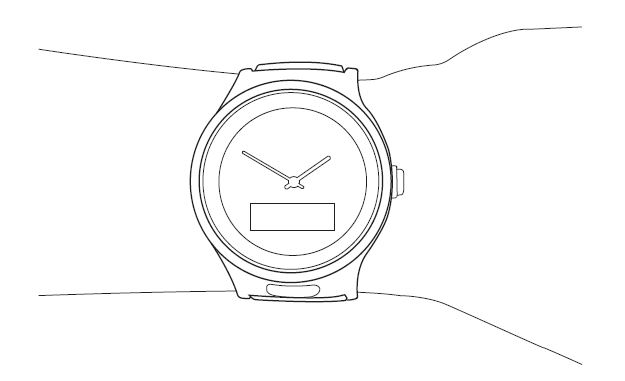
Position your watch slightly above the wrist bone, and tighten the strap s the watch fits snugly.
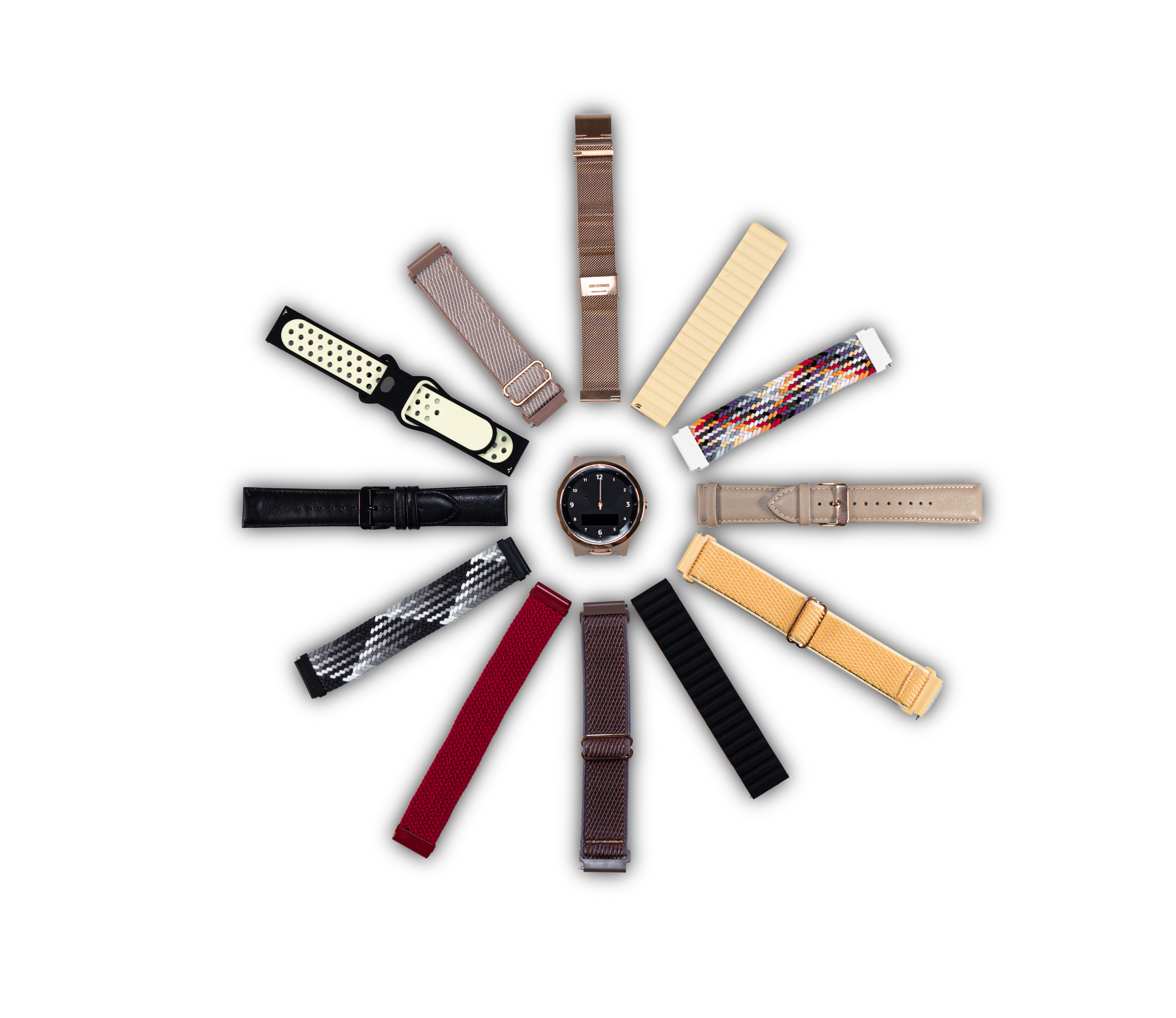
The Companion Watch leather strap can be swapped out for a wide range of compatible alternatives.
A mobile phone is not required by the watch wearer
- The watch uses it own built in LTE-M modem and O2 network sim to communicate
- Each Companion Watch is assigned a unique telephone number
- All O2 network voice and data communication charges are covered by the Companion Subscription (fair usage applies)
- International roaming (outside the United Kingdom) is not supported.
Note: Like any mobile device, connectivity is subject to network coverage.
To find out if you area is covered visit the O2 LTE-M page and navigate to the LTE-M Coverage section.
Enter a postcode to find out the signal strength in that area.
Yes, in the following limited way:
- Each Companion Watch is assigned a unique telephone number
- Only authorised support network contacts can call the Companion Watch
- The wearer can initiate a telephone call with the primary support network contact by pressing the SOS button, or by scrolling through the support network address book on the LED screen.
Note: Like any mobile device, connectivity is subject to network coverage.
Inside the wearer's home
The Companion Watch knows it is at 'home' because it communicates with the Charging Dock that is also a ‘home beacon'
Outside the wearer's home
GPS positioning allows the watch to be located when the wearer is out and about
-
Consent must be obtained from the watch wearer to enable location data to be reported and retained. This is a configuration option for both general alerts and SOS calls, and can be updated via the Companion Service App
-
When an alert is raised, authorised contacts (support network) can be sent a temporary link that opens a google map with the latest watch GPS location displayed
-
In an emergency the support network can log into the Companion Service App to access various tracking features.
Who get alerts
- Alerts and telephone calls raised from the Companion Watch are routed to the nominated support contact, based on the time of day/day of week
- Support contact details and the alert contact schedule are initially set up by Companion Technology and can be maintained through your Companion Service App
- Alerts are delivered by automated telephone calls and/or emails
Alerts can be raised when the watch
- Detects a hard fall
- Has its SOS button pressed
- Exits the home beacon range
- Exits a safe zone (defined by a geofence area)
- Battery charge drops below a critical level
- Detects no movement
- Measures a respiratory and/or heart rate which drops below an (editable) level
Call center support is not a standard option but may be useful in the following situations:
-
You need a backup contact if alerts are not delivered to family/primary contacts
-
To provide holiday cover for family/primary contacts
To find out about what call center support can be provided in your case please contact us.
The Companion Watch has been designed to last for many years.
In the unlikely event the Companion Watch develops a fault we will replace it free of charge during the first year.
For purchases made in the UK your consumer rights are covered by the Sale of Goods Act 1979.
Warranty detail is available in our Terms and Conditions.
We believe our Companian Watch has acheived a fine balance between cost and innovative features that meets the need of our users and their support network.
The Companion Watch has a number of unique features when compared to products available in the UK, whilst remaining user friendly and stylish at the same time.
Companion watches can be purchased new or refurbished. Please go to our Shop to find out the costs of each of these options.
Companion watches must be purchased with a monthly subscription plan. Standard and premium plans are available. Please go to our Shop to find out the costs of each of these options.
Your Companion Watch automatically detects a hard fall using its onboard accelerometer and alititude sensor:
-
The Companion Watch will send various alerts (by email and telephone call) to your support network (either family or 24/7 support team) based on the alert triage schedule that you have set
-
Your support network will make contact with you, first via a voice call with your watch
-
If needed your support network will contact the emergency services.
Your Companion Watch has an SOS button that when pressed will:
-
Display an SOS animation on the Watch LED screen
-
Send out SOS status alerts to support network contacts (by email and automated voice calls). Emails include a map link to show the Watch GPS location
-
The Companion Watch will also attempt to make a voice call with the support network contacts, in priority sequence until the call is answered. In the event the call is not answered or we detect a voicemail service the call will move on to the next contact.
-
The Watch wearer and support contact will be able to speak to each other using the Watch speaker and microphone.
-
Companion measures activity goals and movement, plus heart and respiratory rates of the wearer.
-
Measurement analytics can be viewed within the Companion Service App
-
Heath measurements are not intended for medical use, and designed for general fitness and wellness purposes however they may be useful to your GP is supporting diagnosis.